> ## Documentation Index
> Fetch the complete documentation index at: https://docs.loisforword.com/llms.txt
> Use this file to discover all available pages before exploring further.
# Using precedent
> How to save, view, and manage precedent redlines so your playbooks reflect how your team negotiates in practice.
Precedents are real redlines from past negotiations that are linked to checks in your playbook. They help reviewers understand how a check has been applied and give the AI examples of your team’s preferred outcomes.
## Why precedent matters
Precedents help your team:
* Apply checks consistently across negotiations.
* Give new team members examples of acceptable changes.
* Identify checks that may be outdated or too broad.
* Guide AI behavior without adding every edge case to a check’s instructions.
Each saved example gives the AI more context about what a good result looks like. As your precedent library grows, the system can identify patterns, suggest new checks, and recommend updates to existing checks.
## Save precedent
You can save precedent from Word or add it through the web app.
### From Word
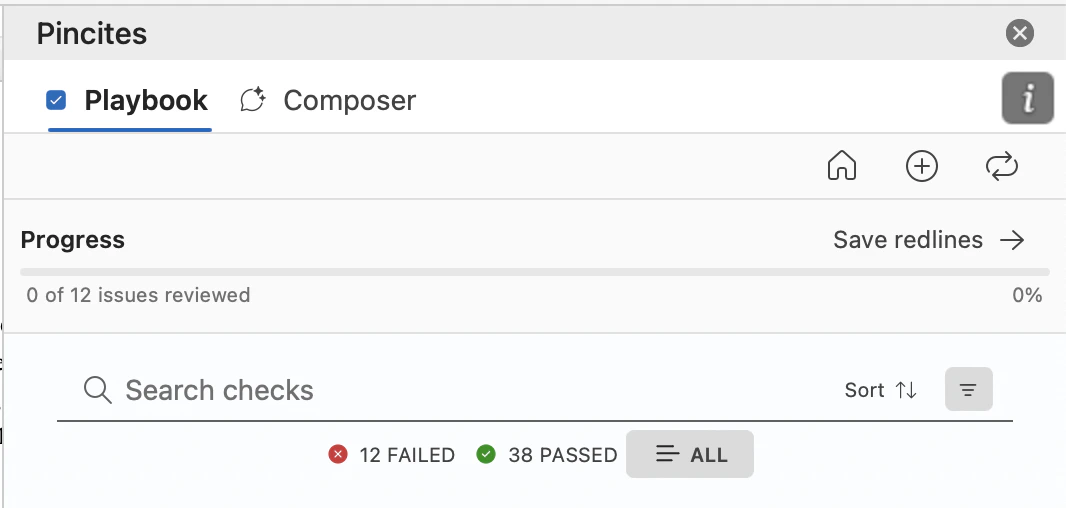
Select **Save Redlines** next to a redline. The system maps redlines in the document to existing playbook checks and can suggest new checks when it identifies recurring patterns.
 ### From the web app
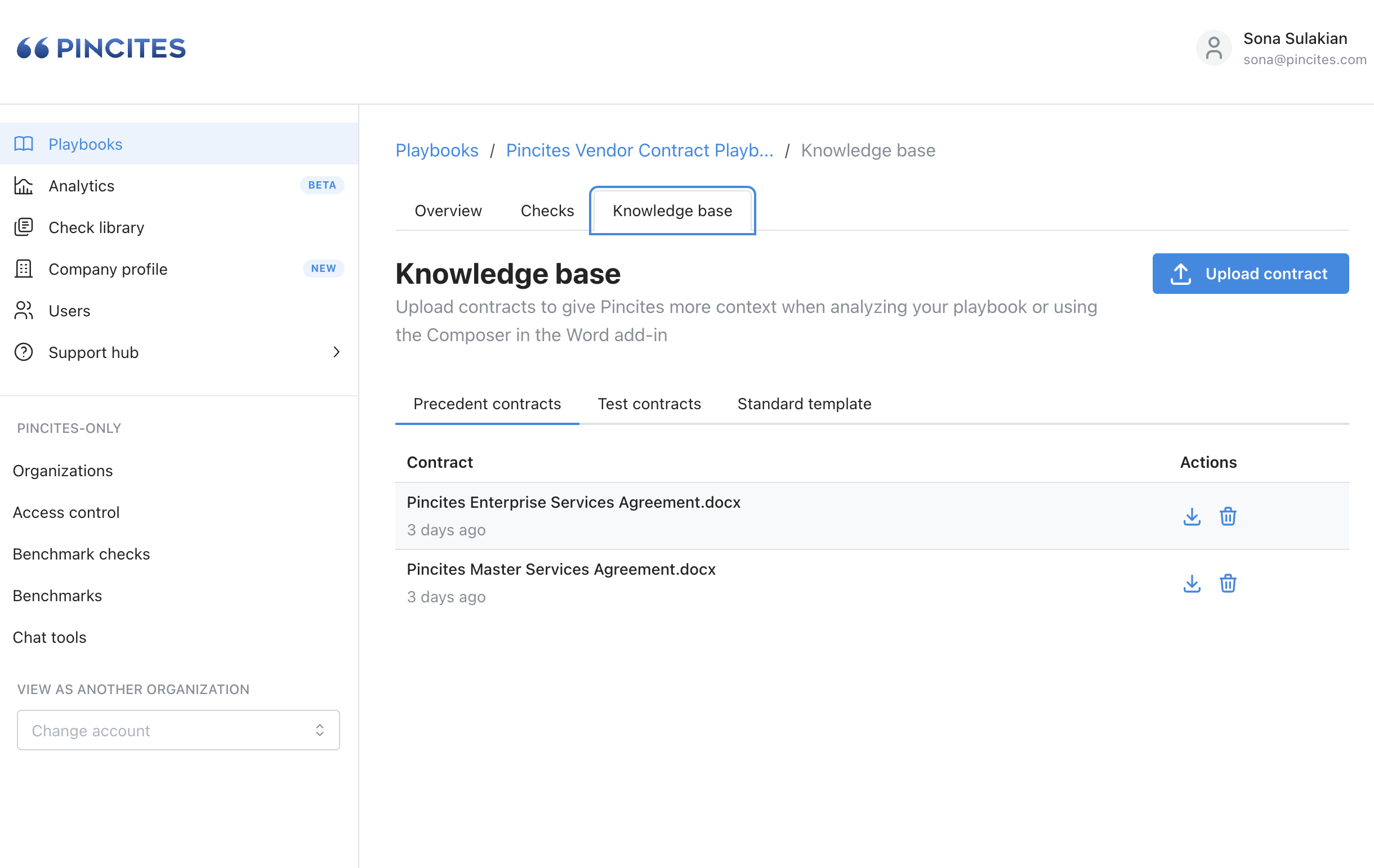
Upload precedent redlines directly to a check or playbook. Use this option to add examples from older deals or upload multiple examples.
### From the web app
Upload precedent redlines directly to a check or playbook. Use this option to add examples from older deals or upload multiple examples.
 ## View precedent
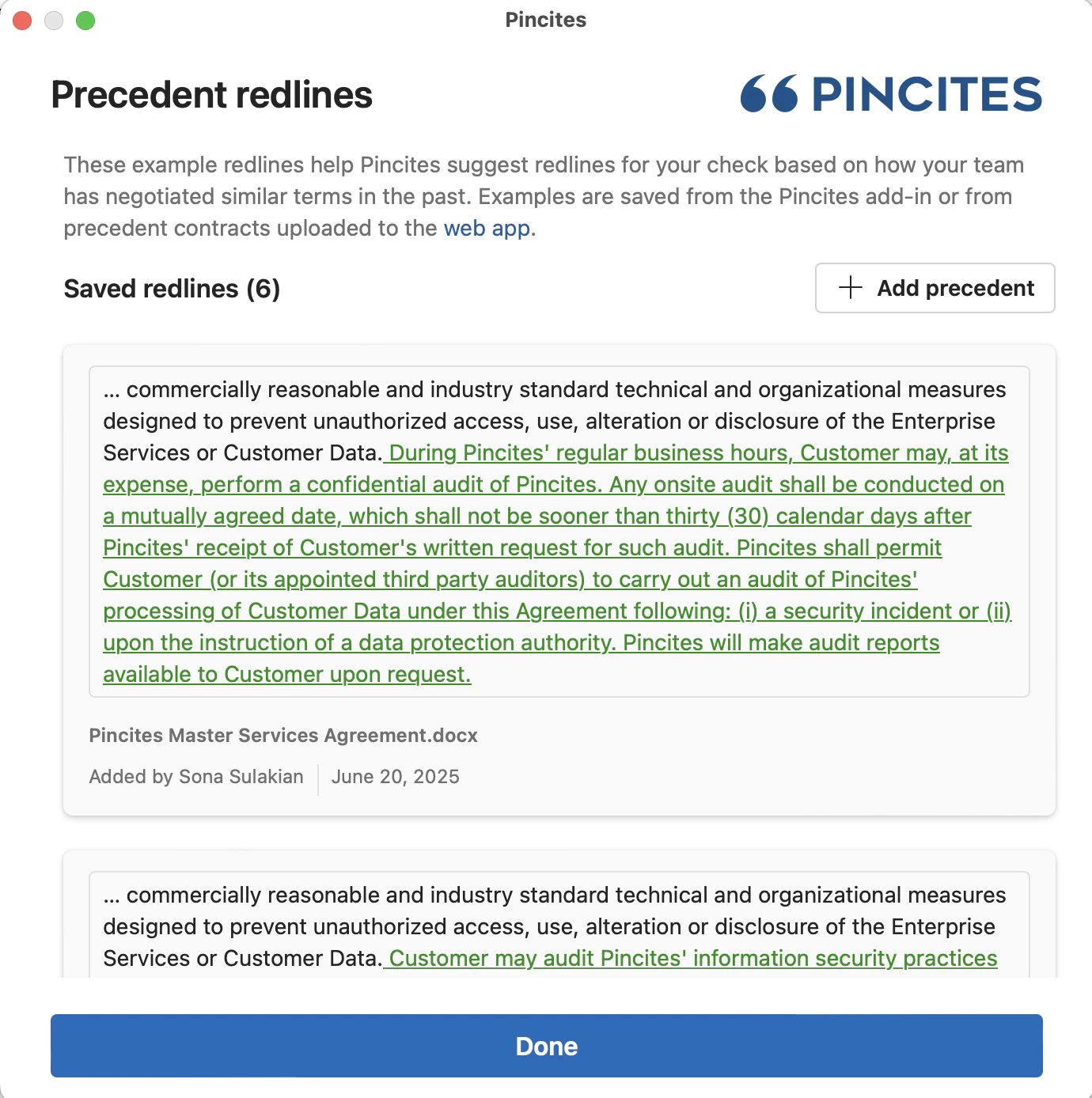
Review precedent while working in Word or maintaining a playbook in the web app. Each example includes the source document, who saved it, when it was saved, and the exact redline.
### In Word
Navigate to the relevant failing check in your playbook review.
Select the **Precedents** circle icon below the suggested redline.
## View precedent
Review precedent while working in Word or maintaining a playbook in the web app. Each example includes the source document, who saved it, when it was saved, and the exact redline.
### In Word
Navigate to the relevant failing check in your playbook review.
Select the **Precedents** circle icon below the suggested redline.
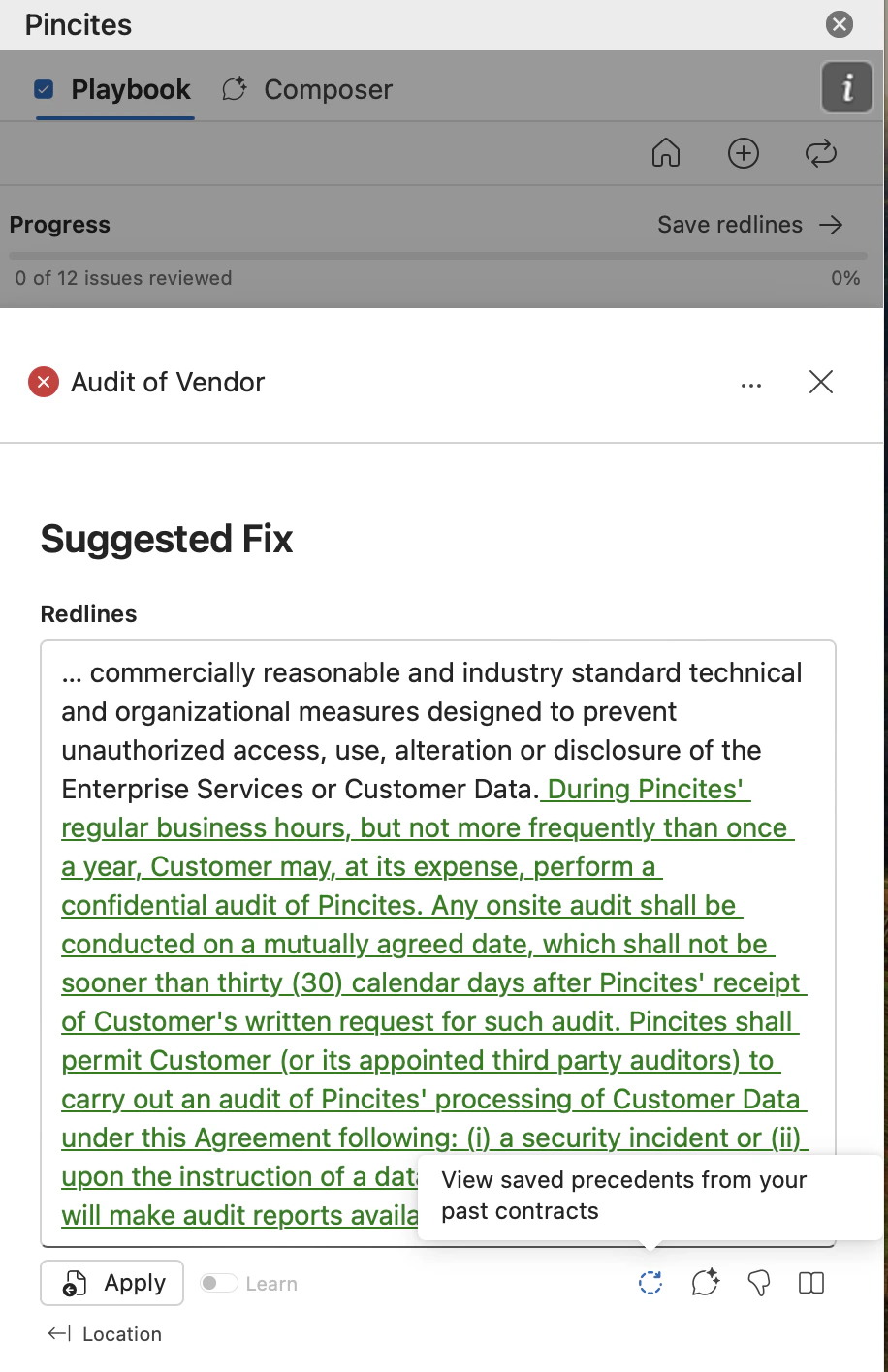 Use the precedent panel to compare real redlines linked to the check and confirm that the suggested change fits the current context.
 ### In the web app
From the [playbook editor](https://app.pincites.com/playbooks), open the check you want to review.
Select **View Precedent Redlines**.
### In the web app
From the [playbook editor](https://app.pincites.com/playbooks), open the check you want to review.
Select **View Precedent Redlines**.
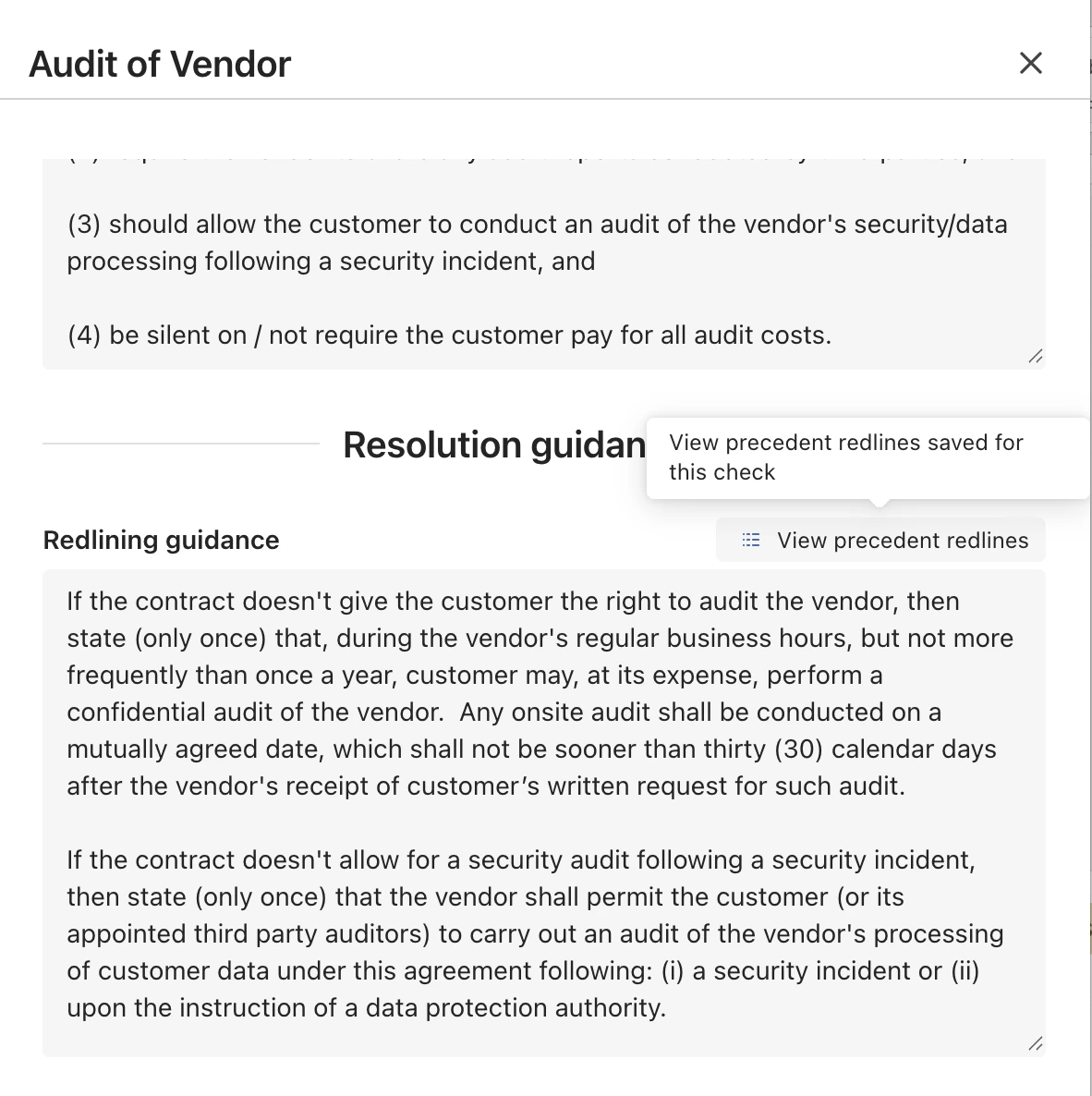 Compare the saved examples as you maintain or refine the check.
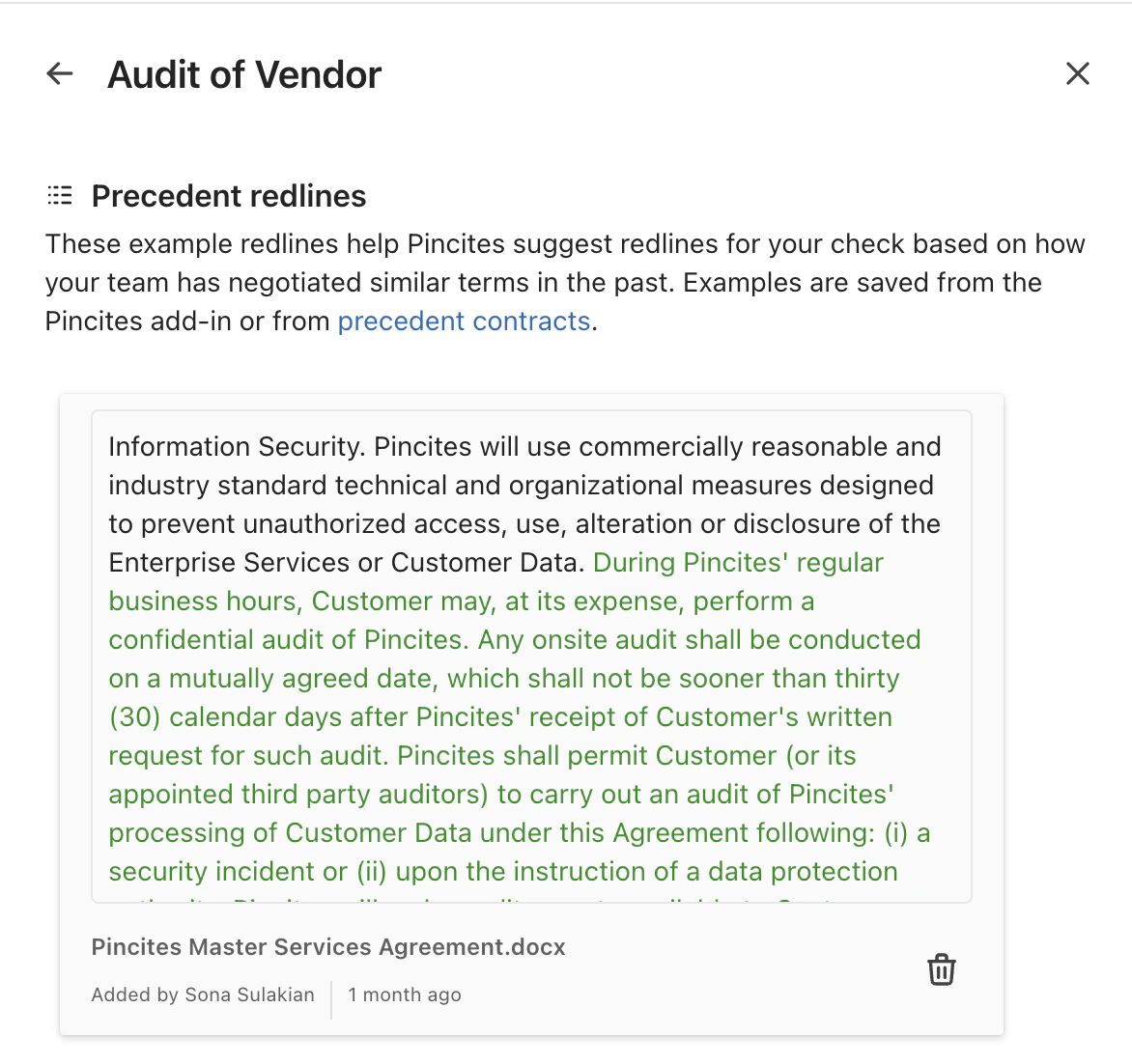 ## Manage your precedent library
Keep examples that reflect positions your team would use again. In the web app, select the trash icon next to an outdated or unhelpful example to remove it.
Review your precedent library periodically so the examples remain aligned with your current negotiation standards. To learn more about how saved redlines shape future results, see [How the system learns](/guides/building-playbooks/learning).
## Manage your precedent library
Keep examples that reflect positions your team would use again. In the web app, select the trash icon next to an outdated or unhelpful example to remove it.
Review your precedent library periodically so the examples remain aligned with your current negotiation standards. To learn more about how saved redlines shape future results, see [How the system learns](/guides/building-playbooks/learning).