> ## Documentation Index
> Fetch the complete documentation index at: https://docs.loisforword.com/llms.txt
> Use this file to discover all available pages before exploring further.
# Precedent Library
> How to use the LOIS for Word precedent library to see where rules have been applied across Word and the web app, with linked redlines for every match.
Knowing how a rule has been used before helps your team apply it more consistently—and builds confidence that your playbook reflects real negotiation behavior. LOIS for Word makes it easy to view precedent redlines tied to each rule, both in Word and in the web app.
## In Microsoft Word
If you're reviewing a contract and want to understand why a rule is triggering:
1. Navigate to the relevant failing issue in your playbook
2. Select the **Precedents** circle icon below the suggested redline
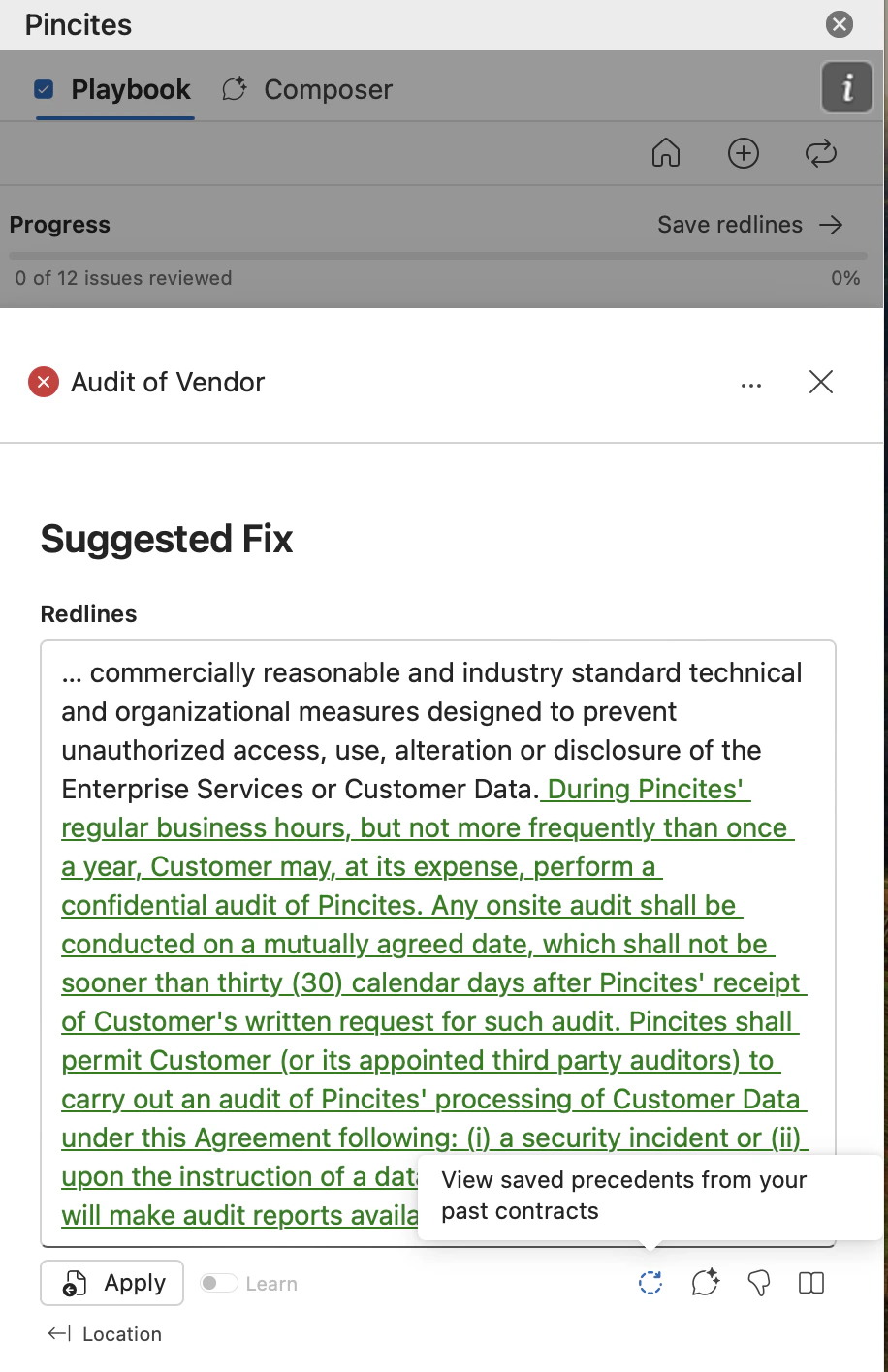 3. A panel will open showing real examples of redlines that match this rule
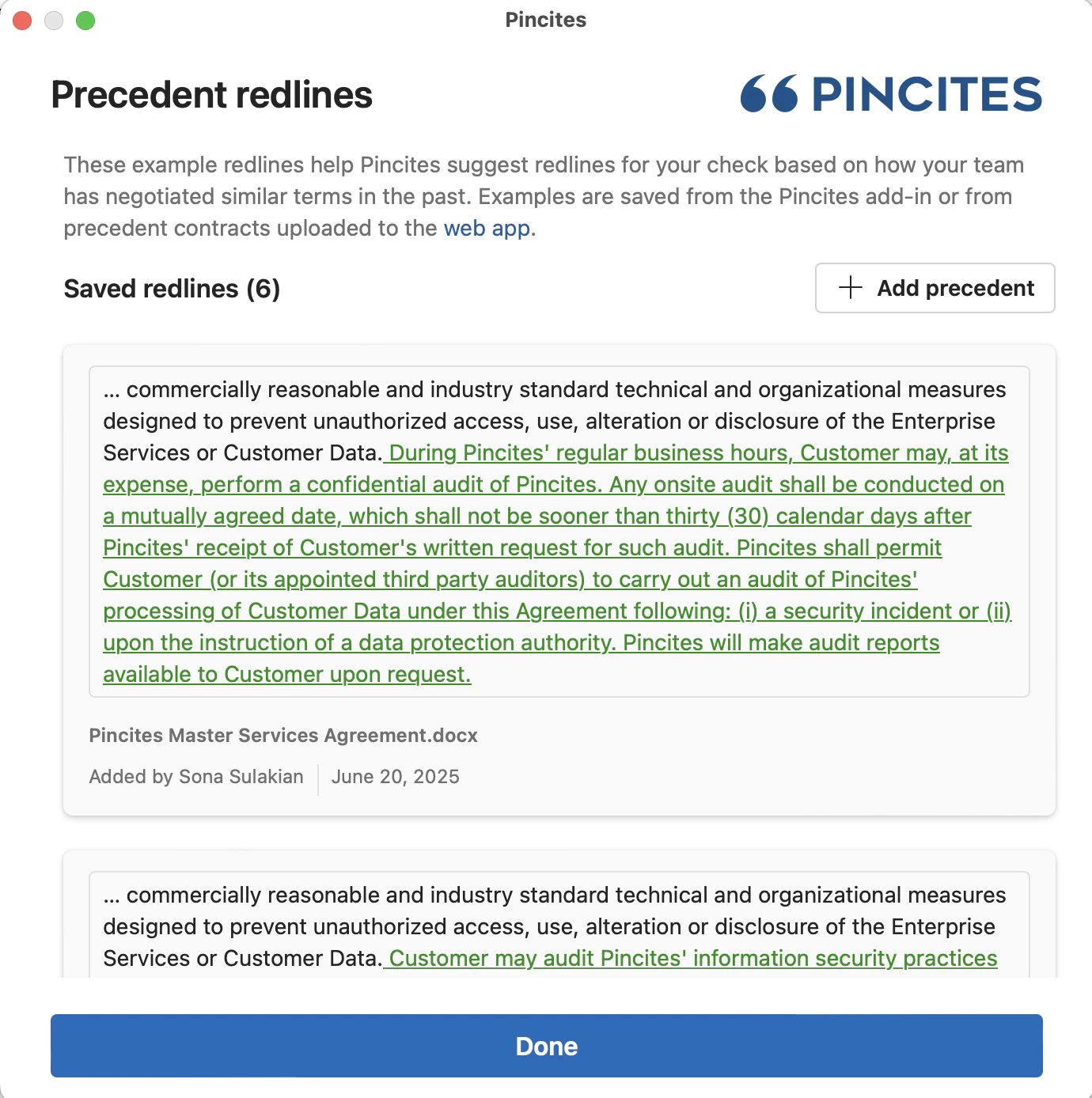 Each precedent includes:
* The name of the source document
* Who saved the redline
* The date it was saved
* The exact redline that was added
You can use these to verify that the rule fits the context—or to help you decide how to revise it.
## In the web app
To explore precedents from [the playbook editor](https://app.pincites.com/playbooks):
1. Go to your **Rule** in your playbook
2. Select **View Precedent Redlines**
Each precedent includes:
* The name of the source document
* Who saved the redline
* The date it was saved
* The exact redline that was added
You can use these to verify that the rule fits the context—or to help you decide how to revise it.
## In the web app
To explore precedents from [the playbook editor](https://app.pincites.com/playbooks):
1. Go to your **Rule** in your playbook
2. Select **View Precedent Redlines**
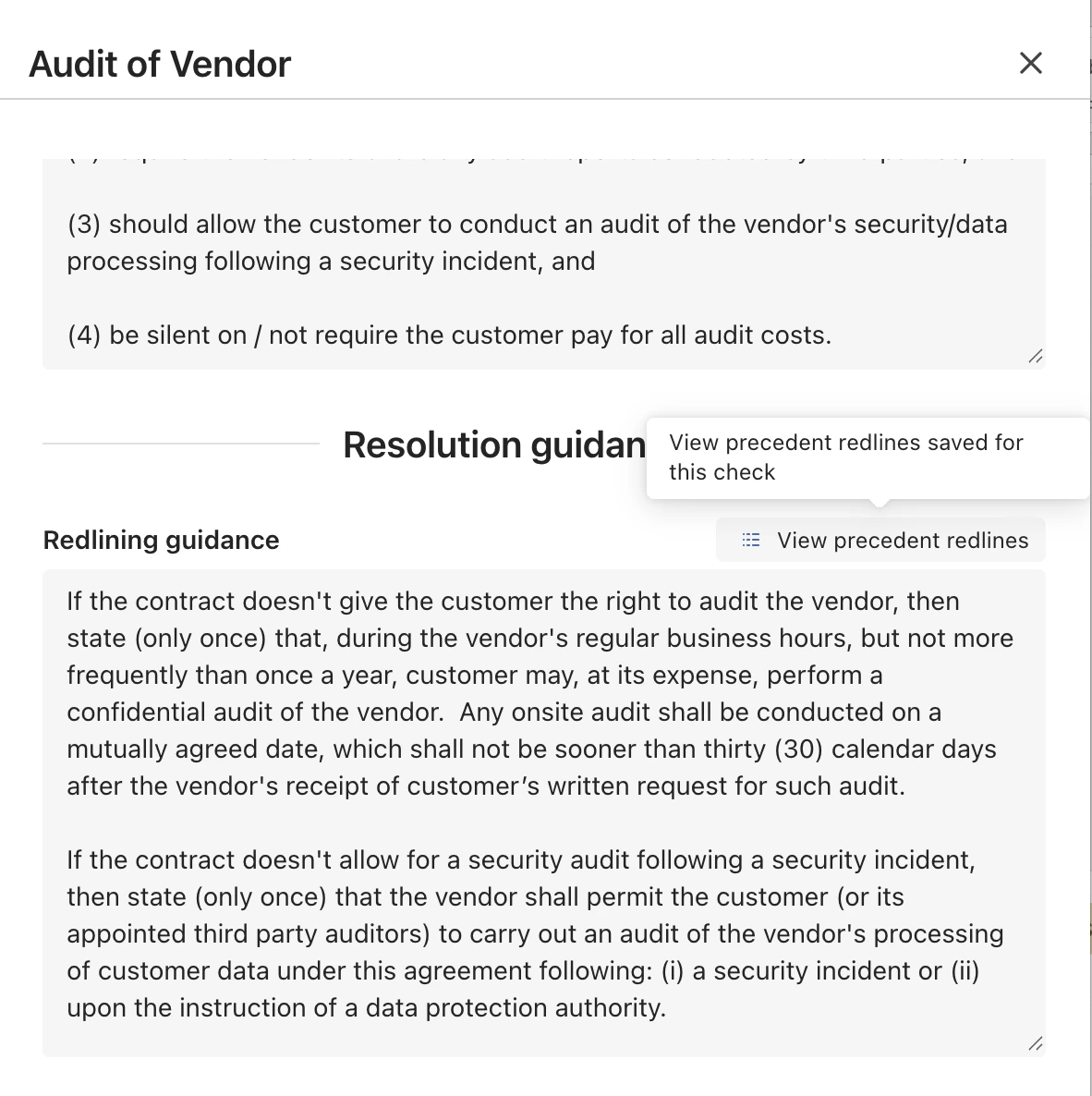 3. View the precedent examples
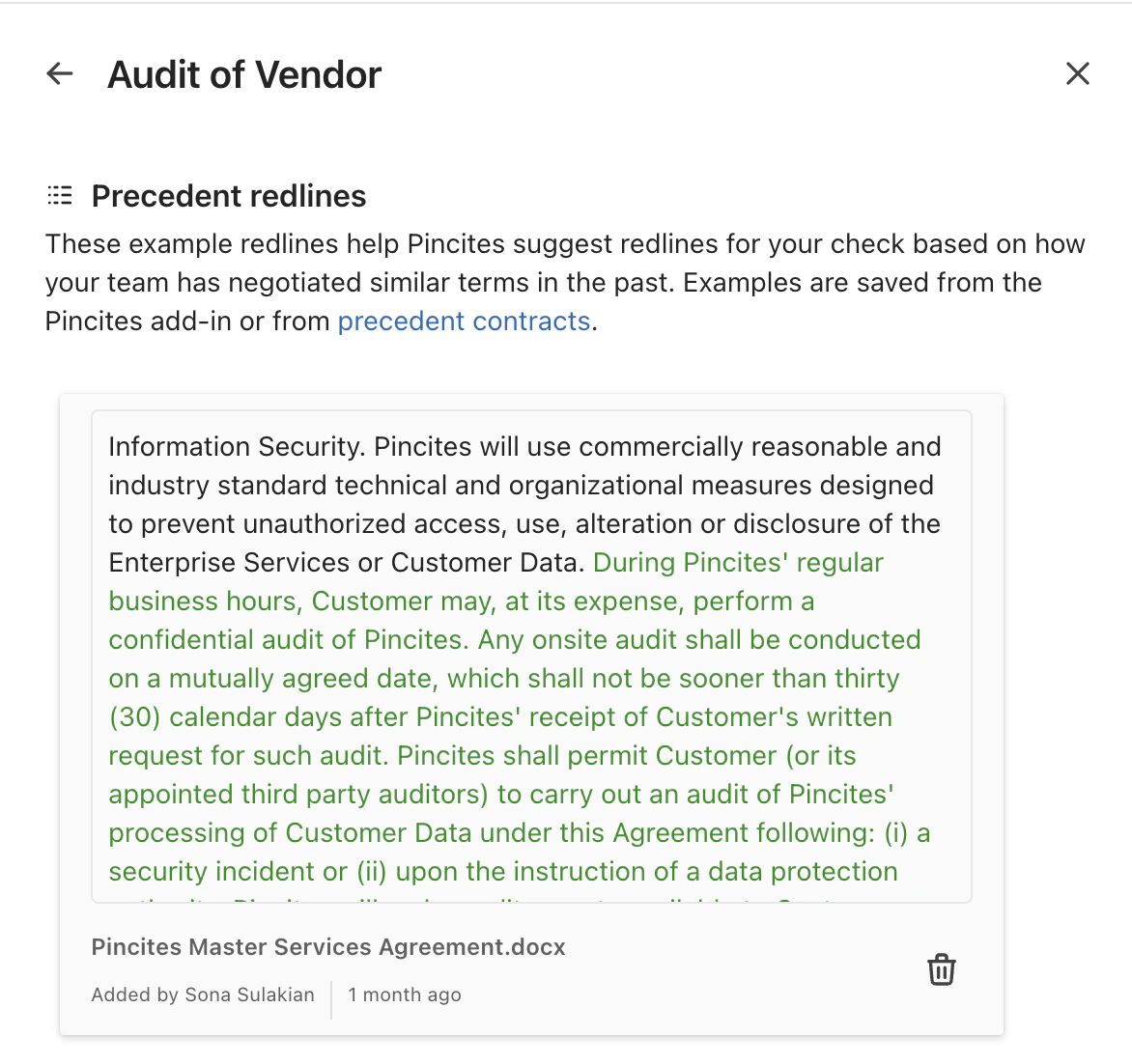 You can delete any examples you don't like by selecting the trash icon next to an example.
Just like in Word, you'll see:
* The source document name
* Who saved it
* When it was saved
* The actual redline
This is especially useful when maintaining or tuning your playbook over time.
## Why it matters
Precedents are real-world data points. They show how your team has applied a rule in actual negotiations—and help new team members ramp up faster. They also help you identify outdated or overbroad rules, based on what’s actually happening in your redlines.
See our other tutorials for [how LOIS for Word learns](/guides/building-playbooks/learning).
***
## Final thoughts
Whether you’re in Word or in the app, precedent visibility makes your playbook more useful and your reviews more defensible. Use them often.
You can delete any examples you don't like by selecting the trash icon next to an example.
Just like in Word, you'll see:
* The source document name
* Who saved it
* When it was saved
* The actual redline
This is especially useful when maintaining or tuning your playbook over time.
## Why it matters
Precedents are real-world data points. They show how your team has applied a rule in actual negotiations—and help new team members ramp up faster. They also help you identify outdated or overbroad rules, based on what’s actually happening in your redlines.
See our other tutorials for [how LOIS for Word learns](/guides/building-playbooks/learning).
***
## Final thoughts
Whether you’re in Word or in the app, precedent visibility makes your playbook more useful and your reviews more defensible. Use them often.