> ## Documentation Index
> Fetch the complete documentation index at: https://docs.loisforword.com/llms.txt
> Use this file to discover all available pages before exploring further.
# Analytics
> Use the LOIS for Word Analytics dashboard to track team usage, playbook performance, and time savings across your organization with filters, charts, and reports.
The [Analytics dashboard](https://app.pincites.com/analytics) gives admins visibility into how their team is using LOIS for Word, which playbooks are performing well, and where time is being saved.
## What the dashboard tracks
* **Contracts reviewed** — unique documents analyzed in the Word add-in across check / playbook reviews, document chat, and completed agent reviews. A document counts once even when reviewed through multiple workflows.
* **Time saved** — estimated hours saved based on contracts reviewed, including completed agent reviews.
* **Questions answered**, **Memory improvements**, **Playbook refinements**, and **Total learning events** — knowledge capture metrics that show how Pincites is learning from your team.
## Filtering the dashboard
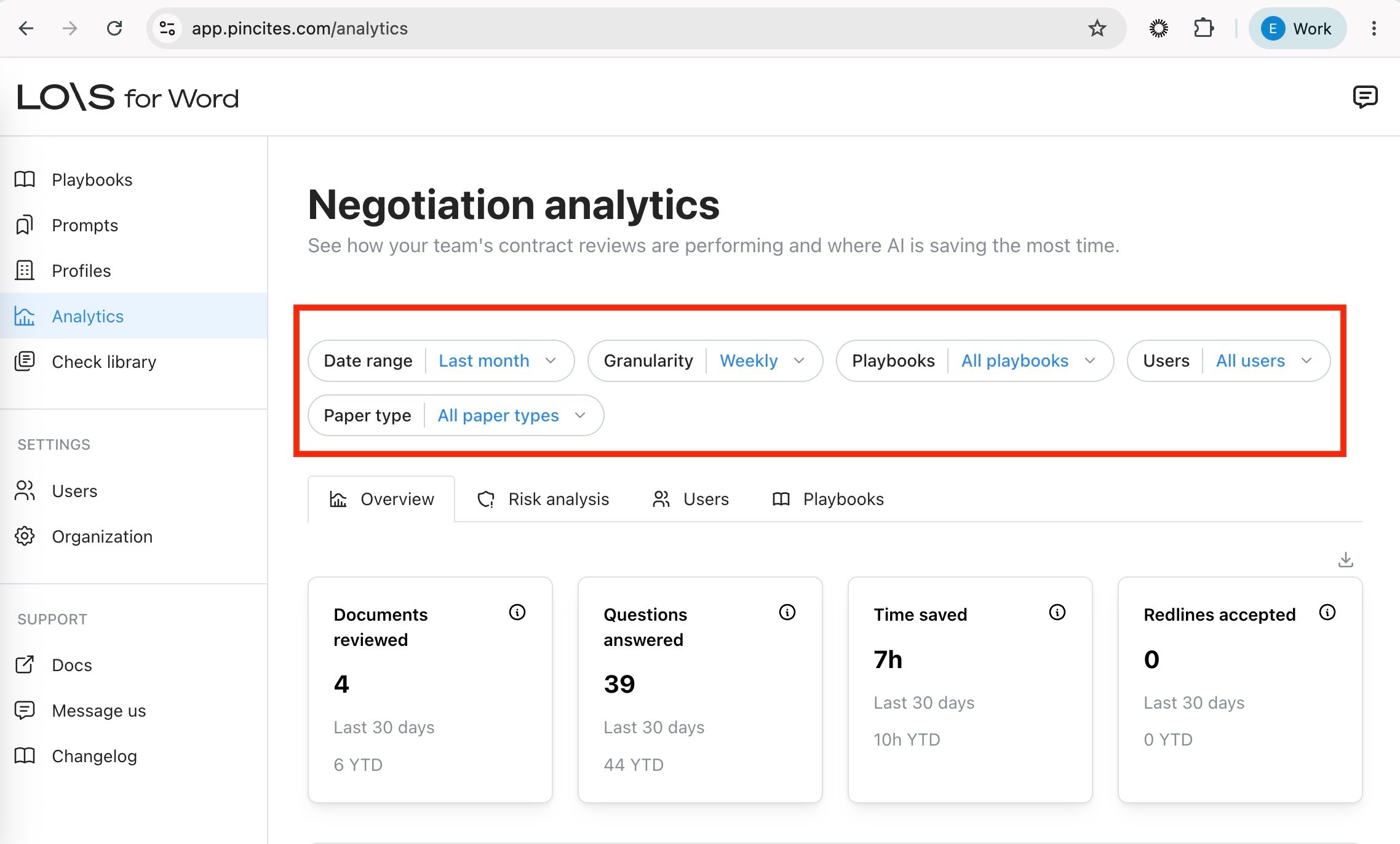
The filter row at the top of the dashboard controls what every chart, card, and table on the page reflects. Filters are persisted between sessions.
 ### Date range
Use the **Date range** chip to scope metrics to a time window. Presets include last week, last month, last quarter, and last year.
Select **Custom range** to pick an arbitrary start and end date. The selected window is displayed as `MM/DD/YYYY – MM/DD/YYYY` and applies to every chart on the page.
### Granularity
Use the **Granularity** chip to choose how metrics are bucketed over time:
* **Daily**
* **Weekly** (default)
* **Monthly**
* **Quarterly**
Granularity affects time-series charts such as **Contracts reviewed**, **Usage over time**, and **Time saved**. Pair a custom date range with monthly or quarterly granularity to report on longer reporting periods (for example, monthly contracts reviewed per user).
### Other filters
* **Playbooks** — narrow metrics to one or more playbooks.
* **Users** — narrow metrics to specific team members.
* **Paper type** — first party paper, third party paper, or both.
Each chip has its own inline clear (X) so you can reset filters individually.
* Use the user metrics table to find team members who may need training
* Identify power users who can share best practices
* Filter by playbook to compare adoption across contract types
* Track time saved to demonstrate value to stakeholders
Some cards cannot be segmented by paper type. When a paper type filter is active, these cards show **No data available**.
### Date range
Use the **Date range** chip to scope metrics to a time window. Presets include last week, last month, last quarter, and last year.
Select **Custom range** to pick an arbitrary start and end date. The selected window is displayed as `MM/DD/YYYY – MM/DD/YYYY` and applies to every chart on the page.
### Granularity
Use the **Granularity** chip to choose how metrics are bucketed over time:
* **Daily**
* **Weekly** (default)
* **Monthly**
* **Quarterly**
Granularity affects time-series charts such as **Contracts reviewed**, **Usage over time**, and **Time saved**. Pair a custom date range with monthly or quarterly granularity to report on longer reporting periods (for example, monthly contracts reviewed per user).
### Other filters
* **Playbooks** — narrow metrics to one or more playbooks.
* **Users** — narrow metrics to specific team members.
* **Paper type** — first party paper, third party paper, or both.
Each chip has its own inline clear (X) so you can reset filters individually.
* Use the user metrics table to find team members who may need training
* Identify power users who can share best practices
* Filter by playbook to compare adoption across contract types
* Track time saved to demonstrate value to stakeholders
Some cards cannot be segmented by paper type. When a paper type filter is active, these cards show **No data available**.