> ## Documentation Index
> Fetch the complete documentation index at: https://docs.loisforword.com/llms.txt
> Use this file to discover all available pages before exploring further.
# Organization Settings
> How admins use the LOIS for Word Organization settings page to view org details, configure chat history retention, and manage workspace-wide preferences.
The Organization settings page lets admins view their organization's identity details and control how long chat history is retained. Open it from the **Organization** link in the dashboard sidebar, or go directly to [app.pincites.com/organization-settings](https://app.pincites.com/organization-settings).
## Organization details
The organization details card shows read-only information about your organization:
* **Filevine Organization** (when signed in with Filevine)
* **Authentication provider**
* **Tenant name**
* **Tenant ID** (when available)
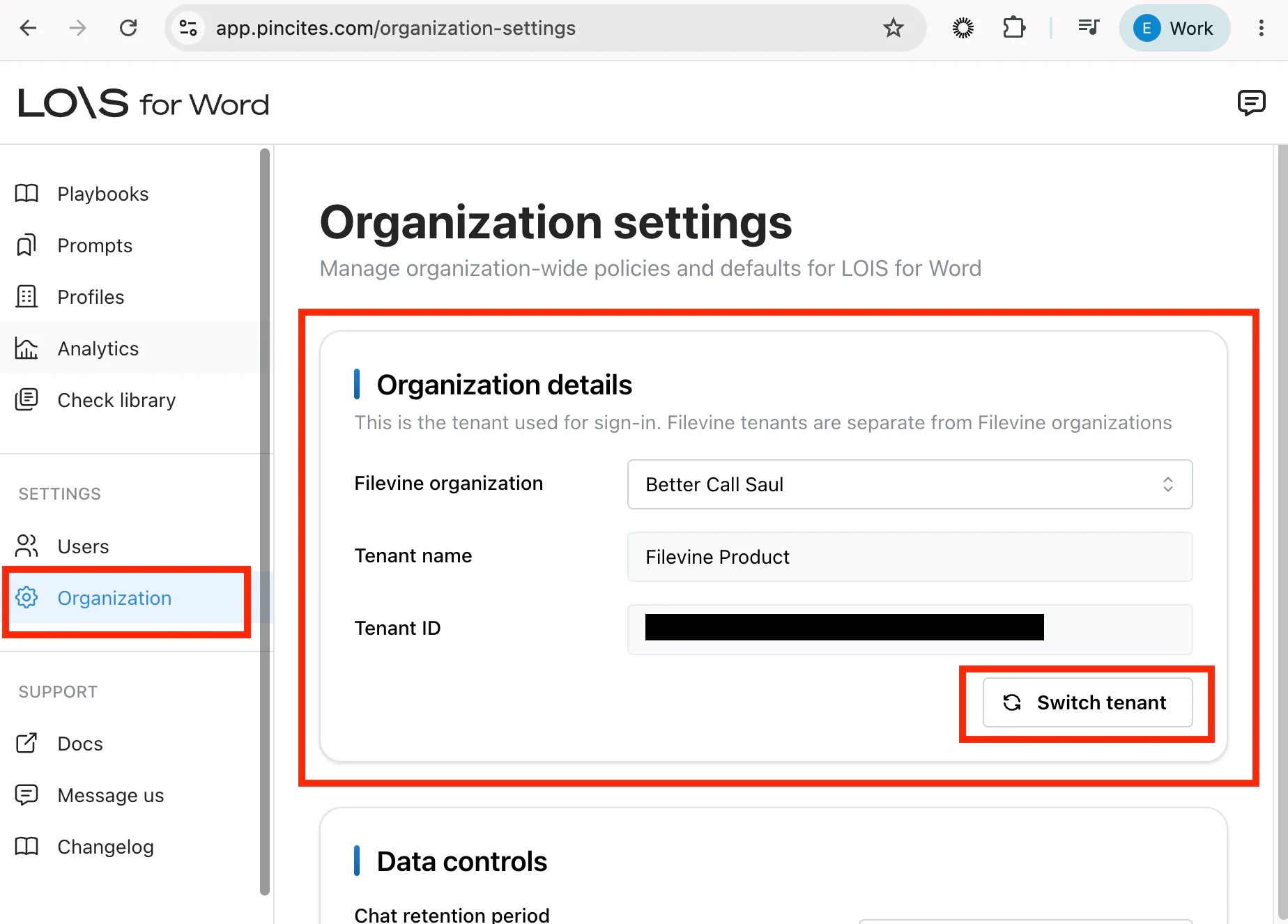 If your account has access to multiple Filevine tenants, use the tenant switcher in this card to change which Filevine organization is active.
## Data retention
Admins can control how long LOIS retains chat history for their organization.
### Configuring chat history retention
Select **Organization** in the dashboard sidebar.
Scroll to the **Data retention** section.
Select a retention period from the dropdown. Select **Keep until manually deleted** to keep chat history until you delete it manually, or pick a fixed number of days after which LOIS automatically deletes chat sessions.
If your account has access to multiple Filevine tenants, use the tenant switcher in this card to change which Filevine organization is active.
## Data retention
Admins can control how long LOIS retains chat history for their organization.
### Configuring chat history retention
Select **Organization** in the dashboard sidebar.
Scroll to the **Data retention** section.
Select a retention period from the dropdown. Select **Keep until manually deleted** to keep chat history until you delete it manually, or pick a fixed number of days after which LOIS automatically deletes chat sessions.
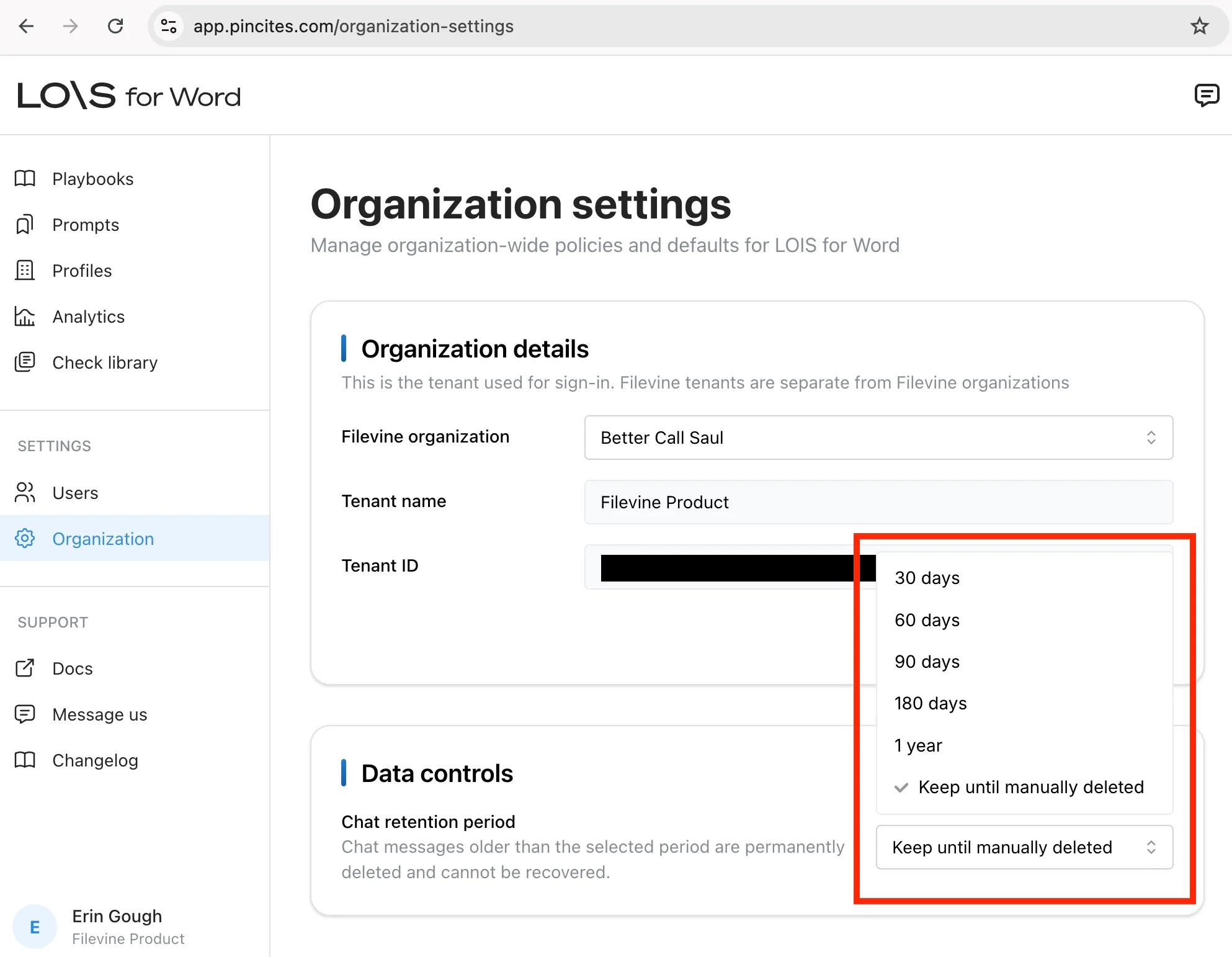 The new retention setting applies to everyone in your organization.
Only organization admins can change retention settings. Other roles see the setting as read-only.
The new retention setting applies to everyone in your organization.
Only organization admins can change retention settings. Other roles see the setting as read-only.